
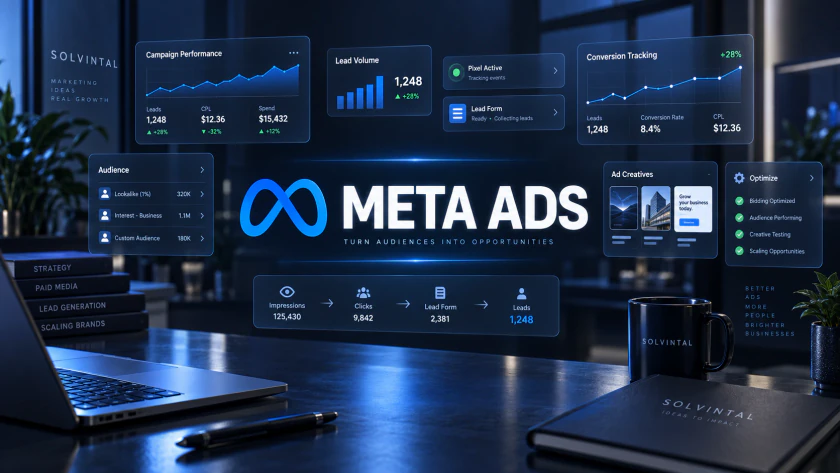
Running ads on Facebook or Instagram is easy. Generating leads that can actually become customers is harder.
A campaign can produce an impressive number of form submissions while creating little real pipeline if the targeting, tracking, offer, creative or follow-up process is weak.
That is why Meta ads for lead generation should be treated as a complete acquisition system, not simply an ad campaign.
This guide walks through the practical setup, from defining the conversion and configuring tracking to building campaigns, testing creatives and improving lead quality.
BUILD THE ACQUISITION SYSTEM
Ten Steps From Tracking to Better Lead Quality
Open each step as you build. The sequence moves from business definition and measurement through campaign execution and revenue feedback.
01Define What a Good Lead Actually MeansOUTCOME
Before opening Meta Ads Manager, decide what you are trying to generate.
A lead could be someone requesting a consultation, booking a demo, submitting a quote request, applying for a service or completing a qualification form.
But a submitted form does not automatically equal a valuable lead.
100 leads
↓
40 can be contacted
↓
15 are qualified
↓
5 enter the sales pipeline
↓
2 become customers
If you optimise only for the cheapest cost per lead, you may improve the first number while making every number underneath it worse.
Start with the business resultDefine the outcome before building the campaign.
02Choose How You Want to Capture LeadsEXPERIENCE
Meta supports several lead-generation experiences across its platforms, including forms, messaging and calls. Meta's current Blueprint training specifically covers forms, click-to-message ads and call-based lead generation.
For many businesses, the main decision is between an Instant Form and a website form.
Website forms often introduce more friction, but that friction can sometimes help prospects understand the offer before submitting.
Neither method is automatically better. Choose based on what happens after the lead is generated.
03Set Up Meta Pixel and Conversions APITRACKING
If leads are generated on your website, tracking should be configured before you start spending seriously.
The Meta Pixel helps capture actions happening in the visitor's browser.
The Meta Conversions API can send conversion data more directly from your server, CRM or another business system.
Meta recommends using Pixel and Conversions API together where appropriate to improve the data available for measurement and advertising optimization.
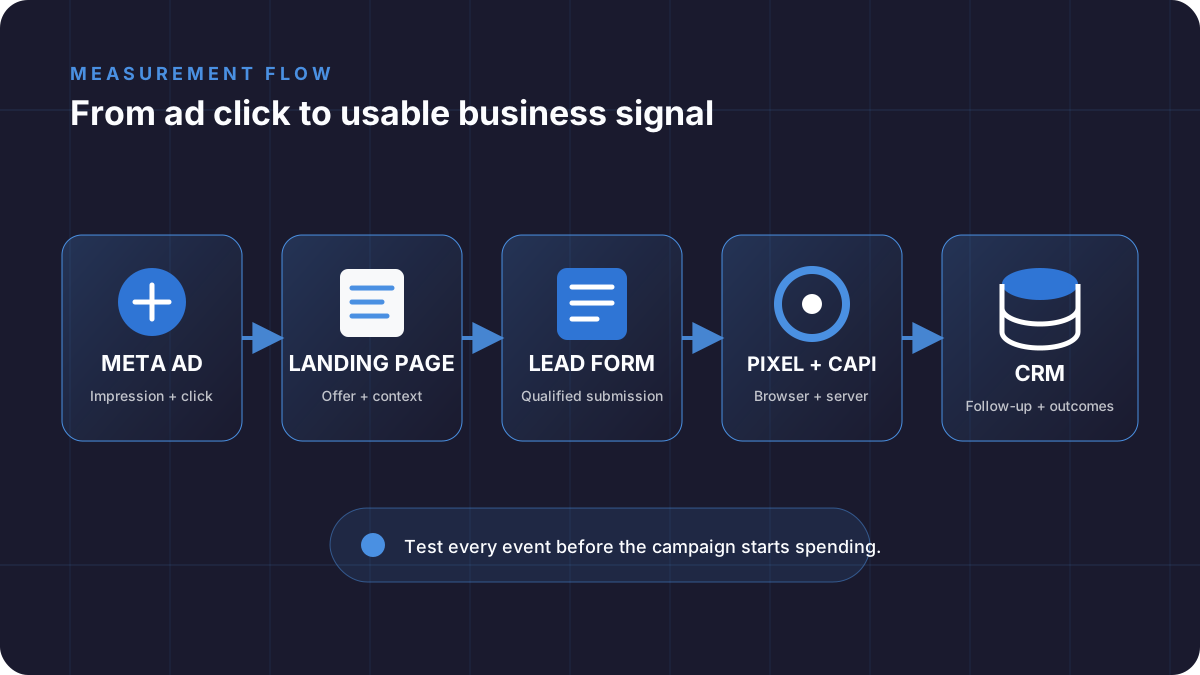
Your Meta Pixel setup should track meaningful events, not every possible interaction.
PageView
ViewContent
Lead
Schedule
Contact
The exact events depend on the conversion journey.
04Build the Campaign Around the Business GoalSTRUCTURE
When creating the campaign, the objective should match the action you actually want.
Meta's current campaign system is designed around selecting an advertising objective that corresponds to the business goal.
For a lead-generation campaign, that normally means working within the Leads objective rather than choosing Traffic simply because you want people to visit your website.
These objectives tell the delivery system what type of result you want it to pursue.
Campaign
Lead Generation

Ad Set
Audience
Location
Budget
Conversion Location
Optimization

Ads
Creative A
Creative B
Creative C
Keep the structure simple at the beginning.
Too many campaigns and ad sets divide your budget and make it harder to understand what is actually working.
05Avoid Overcomplicating the AudienceTARGETING
Meta targeting used to encourage advertisers to build increasingly detailed interest combinations. That is not always the best starting point today.
Meta continues to expand its AI-driven Advantage+ systems, including dedicated Advantage+ leads campaigns that use automation across campaign setup and optimization.
For many campaigns, it is worth testing broader audiences while controlling the criteria that genuinely matter:
- Geographic location
- Age where commercially relevant
- Existing customer exclusions
- First-party customer data
- Retargeting audiences
Do not assume more targeting filters automatically create better prospects.
Your offer and creative can do part of the qualification. An ad clearly written for SaaS founders, for example, naturally discourages many irrelevant users without requiring dozens of targeting conditions.
06Make the Creative Qualify the LeadMESSAGE
The creative is not only responsible for getting attention. It should help the right person recognise: This is for me.
That means your Facebook ads for leads or Instagram campaigns should communicate the problem, audience and offer clearly.
The second message immediately creates context.
Who is this for?
Make the audience recognisable.
What problem are you solving?
Lead with something they already care about.
What are you offering?
Demo, consultation, assessment, quote, trial or another clear next step.
Why should they act?
Give the prospect enough information to decide whether continuing makes sense.
Meta itself now teaches advertisers to use ad creative and Instant Form design as tools for improving lead quality, not simply generating more submissions.
07Build the Form for Quality, Not Maximum VolumeQUALIFY
One of the easiest ways to generate poor leads is to remove every possible barrier.
If your Instant Form only asks for name, email and phone, you may get more submissions, but you may know almost nothing about whether those people are useful prospects.
Depending on the business, adding one or two qualification questions can help.
What service are you interested in?

What is your estimated budget?

When are you planning to start?
Do not turn the form into an interrogation. Every extra field creates friction.
Ask only for information that actually helps marketing or sales determine what should happen next.
Balance friction and informationThe goal is the shortest form that produces enough information to make the lead useful.
08Test the Offer and Creative Before Micro-OptimizingTESTING
Many advertisers start changing audiences, placements and bidding settings when the real problem is much simpler: the offer is weak.
Before making small campaign adjustments, test meaningful variations.
Pain
Focus on the problem the prospect wants to escape.
Outcome
Focus on the result the prospect wants to achieve.
Mechanism
Focus on how the offer creates the result.
You can also test static image versus video, short versus longer copy, different hooks, calls to action, Instant Form versus website form and different landing-page messages.
For Reels specifically, Meta recommends creative designed for the vertical 9:16 environment and provides A/B testing capabilities within the advertising workflow.
Change variables deliberately so you can learn from the results.
09Measure More Than Cost Per LeadMETRICS
Cost per lead is useful. It is not enough.
Campaign A
CPL: $20
Qualified Lead Rate: 15%

Campaign B
CPL: $32
Qualified Lead Rate: 50%
Campaign A looks better inside Ads Manager. Campaign B may be much better for the business.
Advertising Metrics
Spend, impressions, CPM, click-through rate, cost per click, landing-page views and cost per lead.
Lead Quality Metrics
Contact rate, qualified lead rate, meeting-booked rate, sales opportunity rate and cost per qualified lead.
Business Metrics
Customer acquisition cost, pipeline value, conversion to customer and revenue generated.
Marketing performance should eventually connect to business performance.
Otherwise you risk optimizing for the easiest number to improve rather than the result that matters.
10Feed Lead Quality Back Into the SystemFEEDBACK
The campaign should not end when Meta records a lead.
Connect leads to a CRM or another reliable follow-up process, then track what happens from first contact through customer conversion.
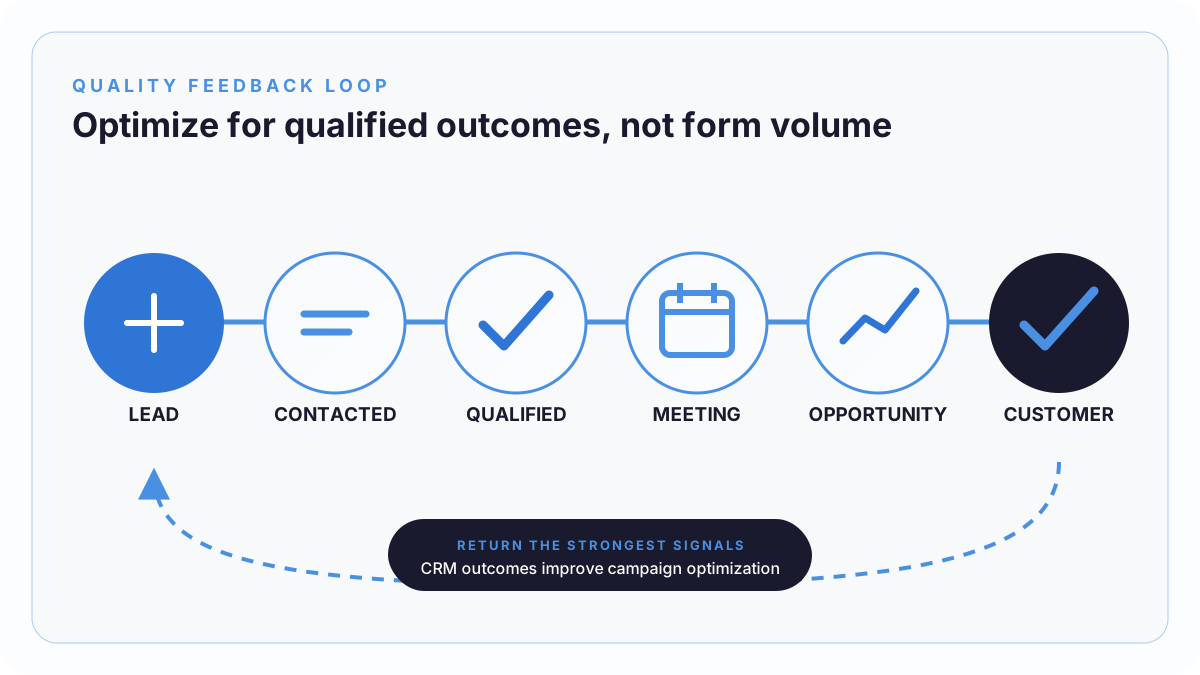
This becomes particularly important when lead volume increases.
Meta also supports CRM data through its Conversions API for CRM. Its current Blueprint guidance describes using CRM signals to optimize campaigns toward qualified leads rather than lead volume alone.
That creates a stronger feedback loop.
AVOID FALSE PROGRESS
Common Meta Lead Generation Mistakes
Optimizing for Traffic Instead of Leads
Cheap clicks are not the same as potential customers.
Judging Success Only by CPL
A cheap unqualified lead is still expensive if sales cannot use it.
Launching Without Reliable Tracking
Poor data creates poor optimization decisions.
Changing Campaigns Every Day
Constant edits make it difficult to identify patterns and learn from tests.
Creating Too Many Ad Sets
Fragmented budgets often produce limited useful data.
Weak Creative
Targeting cannot rescue an offer nobody cares about.
Slow Follow-Up
Lead generation and sales follow-up are part of the same system. A strong campaign with a weak response process still wastes opportunities.
BEFORE LAUNCHING
A Simple Meta Lead Generation Checklist
- Define what qualifies as a useful lead.
- Choose the appropriate lead capture method.
- Configure Pixel and Conversions API where relevant.
- Verify your conversion events.
- Use the Leads objective for lead-generation goals.
- Keep the initial campaign structure simple.
- Create multiple meaningful creative variations.
- Make the offer clear.
- Add only necessary qualification questions.
- Connect leads to a reliable follow-up process.
- Track qualified leads, not only form submissions.
- Optimize based on business outcomes.
OPTIMIZE THE WHOLE SYSTEM
Final Thoughts
Successful Meta ads for lead generation are not built by finding one secret audience or changing a campaign setting.
Performance comes from the entire system working together.
The offer attracts the right person. The creative creates relevance. The campaign helps Meta find more potential prospects. The form or landing page converts that attention.
The Meta Pixel and Conversions API provide measurement signals.
The CRM and sales process determine whether those leads actually become opportunities.
Start simple, track properly and test meaningful variables.
Most importantly, do not optimize for the number of leads if what the business really needs is more qualified customers.
Back to SOLVINTAL Academy